Stuz, CAB F21
- Report any problems with the room to aktuar@tanzquotient.org immediately
- The main entrance to CAB is open until 20:30 on working days.
- ETH bachelor and master students can enter CHN 24/7 and walk over the bridge into CAB
- ETH bachelor and master students can enter CHN 24/7 and walk over the bridge into CAB
- Getting keys 🔑
- There may be a dance class beforehand. In that case, talk to the teacher and do a hand-over:
- Any issues that day?
- Get the keys + code
- Otherwise, you need to pick up the key.
- The keys are placed in a vault on the corridor between the VSETH Stuz entry and the VSETH kitchen (CAB E24)
- TQ will send you a code to open a specific compartment. Press "#" to confirm your code entry. If you make a mistake, press "*" to delete. Make sure to close the vault door again after getting the key.
- ⚠️ The use of the code is only allowed for the purpose of the event. Do not share the code with other people!
- There may be a dance class beforehand. In that case, talk to the teacher and do a hand-over:
- Open VSETH Entrance
- it's the glass door to the outside next to the key locker
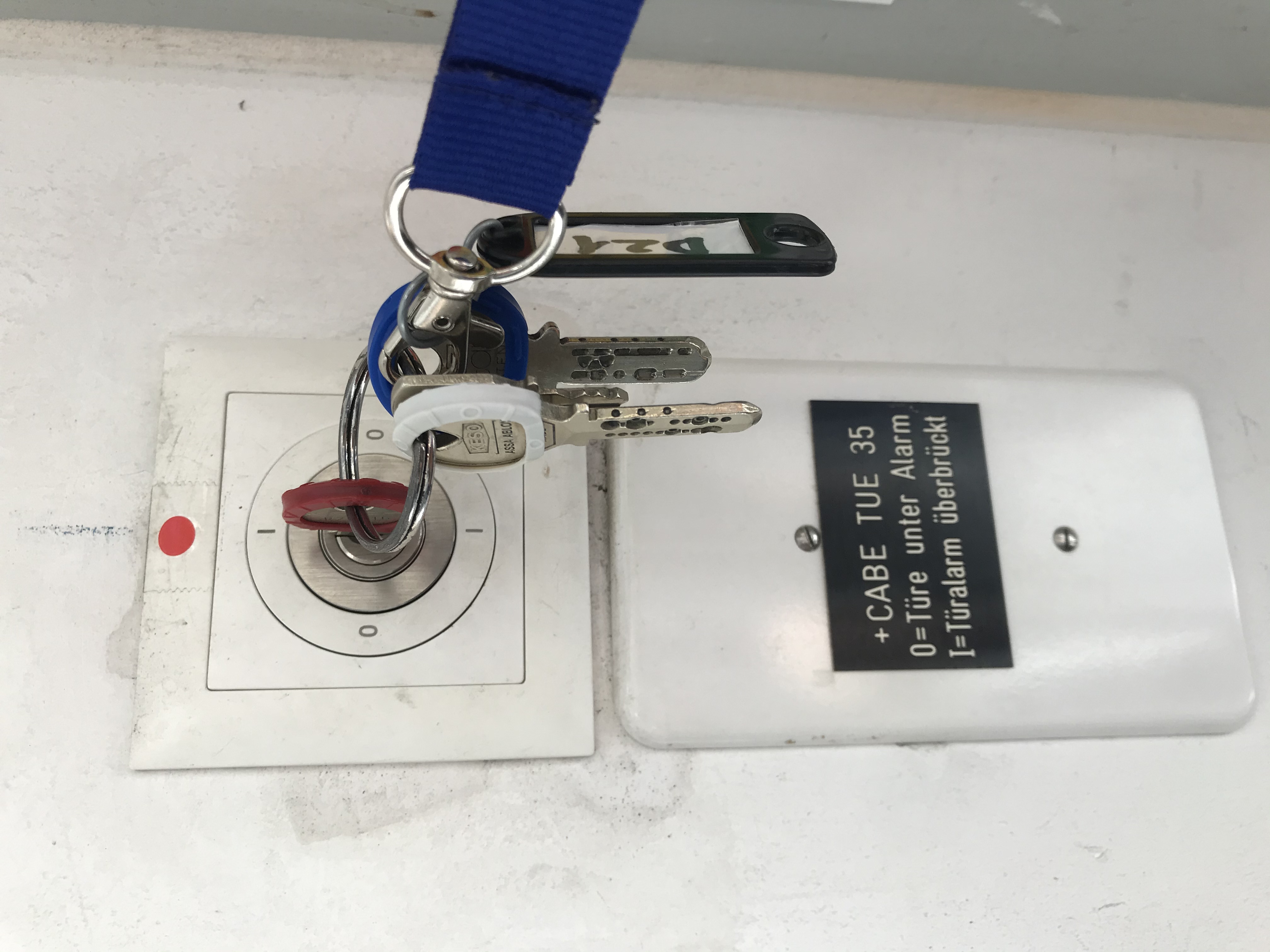
- disable alarm → activate bypass → set it like this to "I"
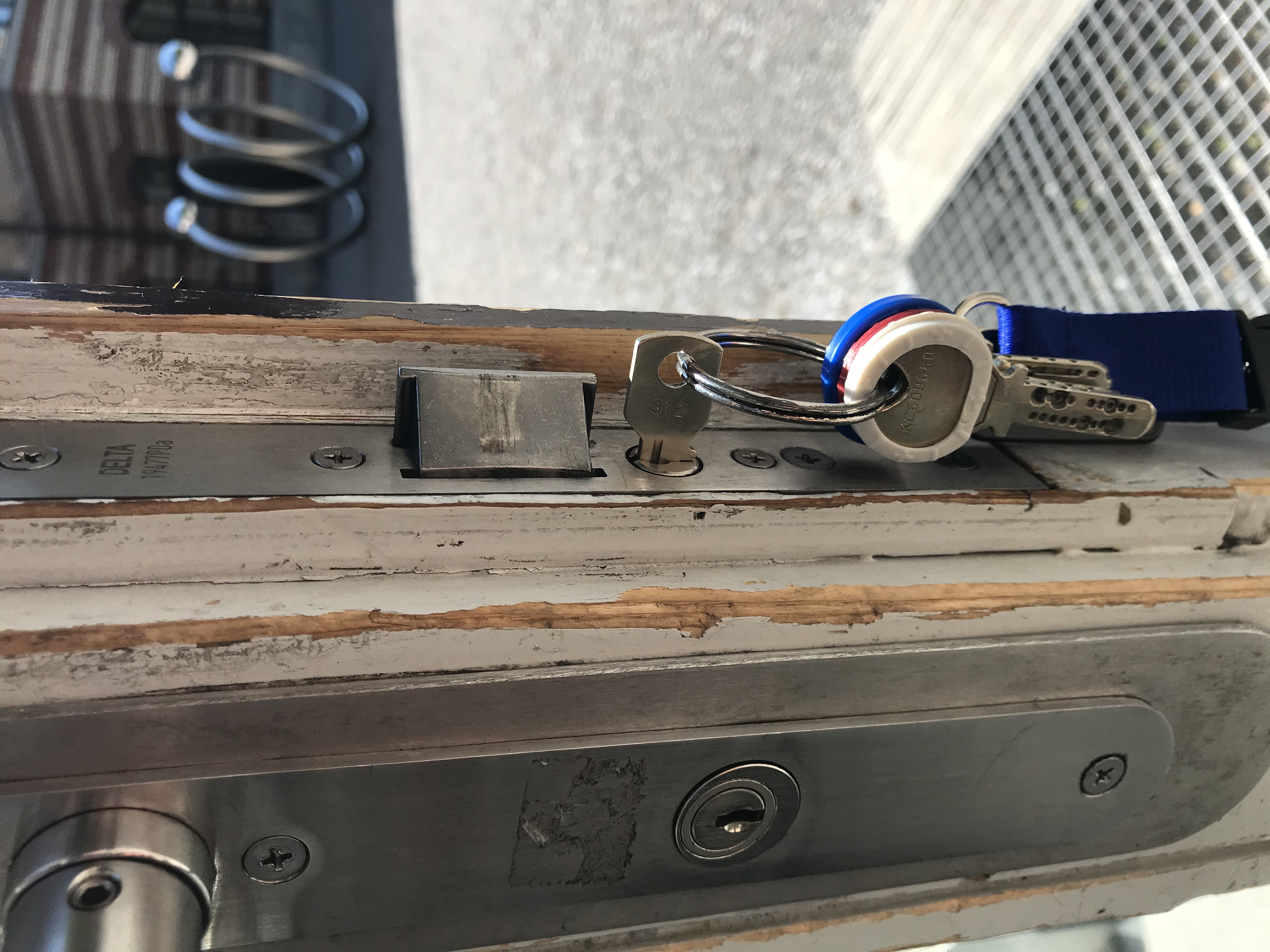
- unlock front door: press down inside handle and use small key (180° turn). Now the lower bolt will be permanently retracted. The upper bolt can be retracted with both handles.
- Preparation of the room 🧹
- unlock both doors
- staircase door can be held open with string loop hooking into door handle
- double glass door next to bar can be held open with magnet on the wall. To release it press the red button on the very top.
- standard lights can be turned on and off behind the bar. Long press the buttons to dim.
- wardrobe
- move them outside the room
- bar elements
- move them towards the wall and behind the bar, they fit quite well under the window sills
- move them towards the wall and behind the bar, they fit quite well under the window sills
- unlock both doors
- Play music according to music instructions! 🎶
- Bring your own device with headphone jack.
- enter the projector room
- turn on power on the very back wall
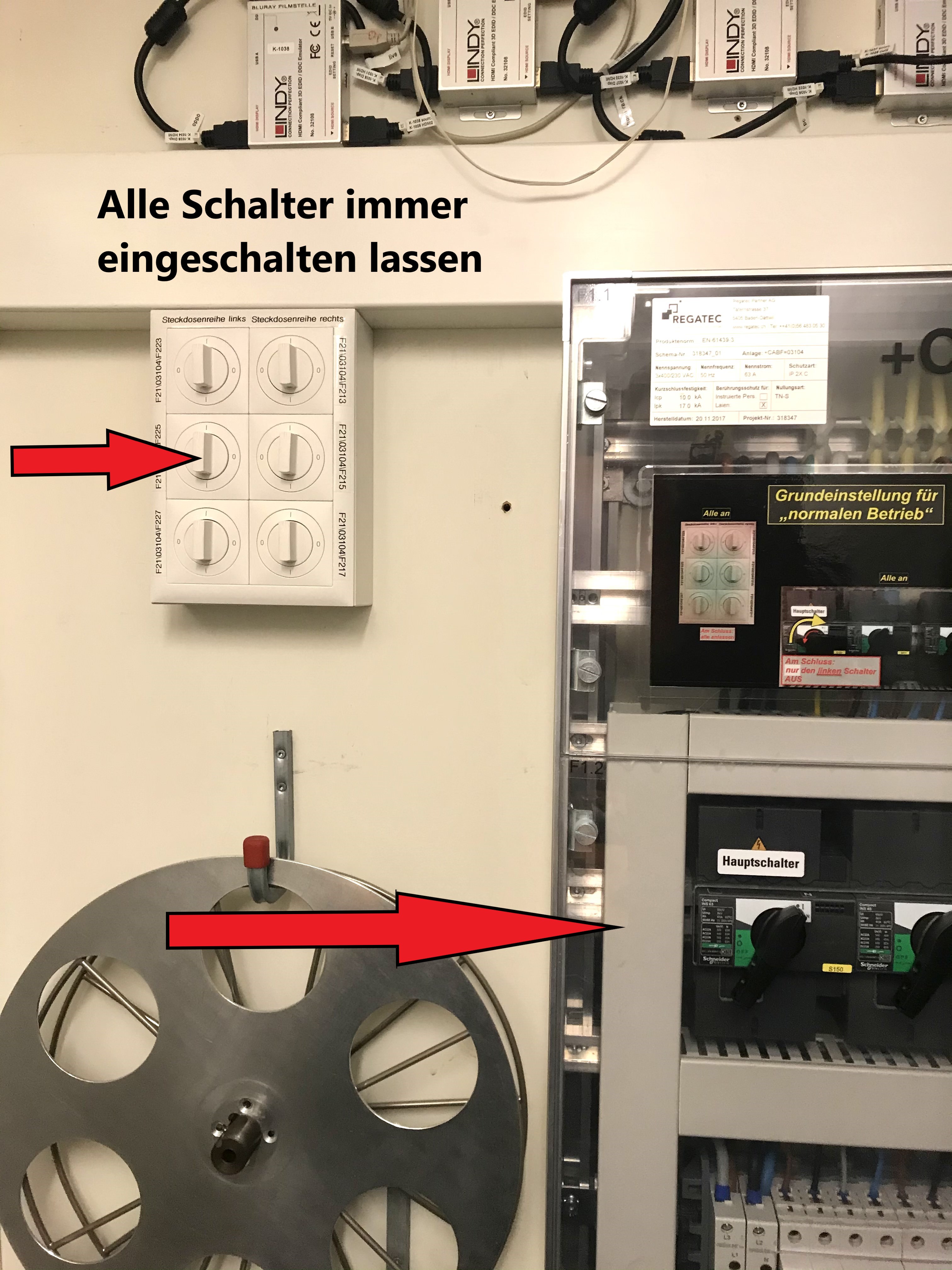
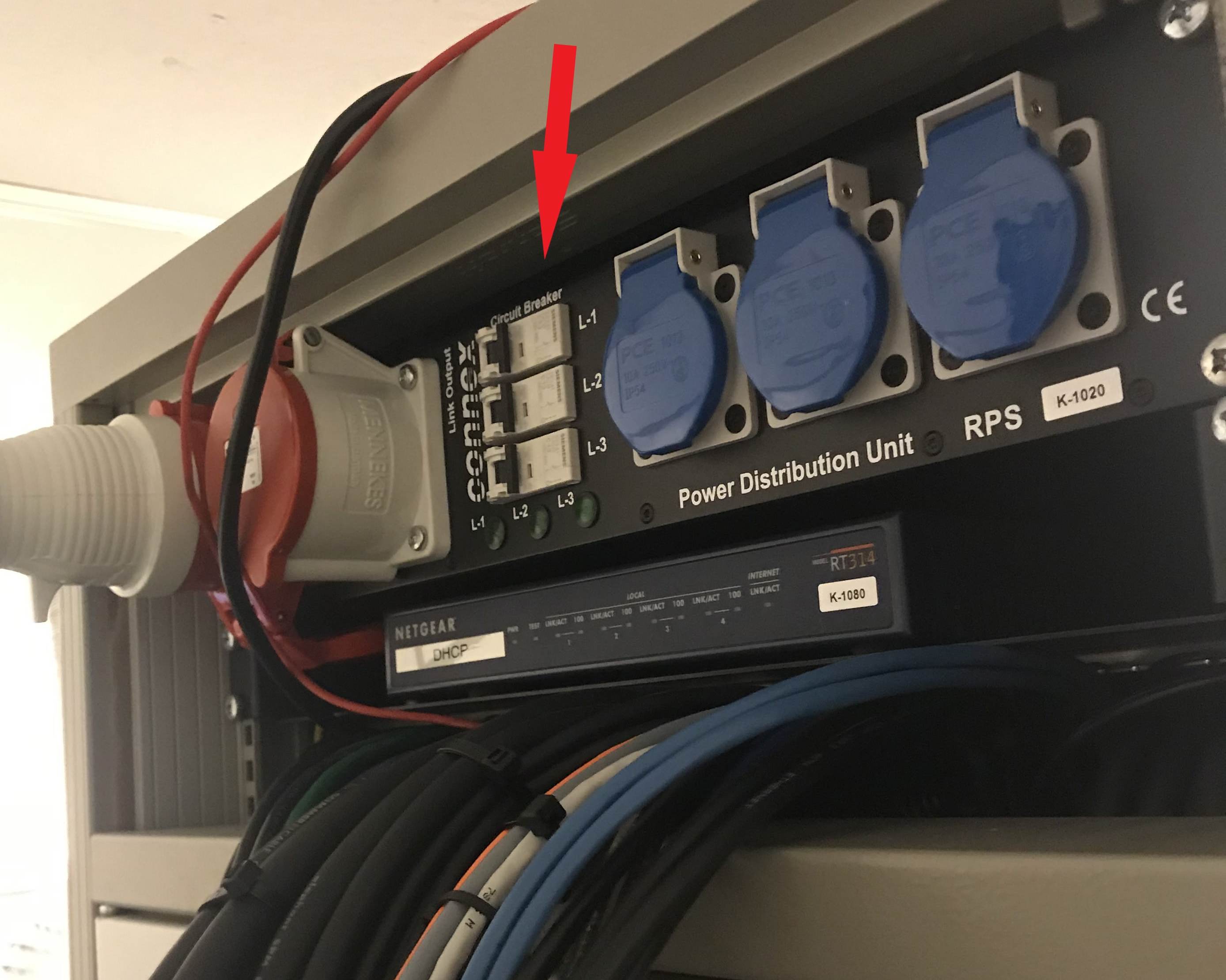
The black switches to the right need to be on for music, the top white switches supply power for the lights and dB-Meter, can be turned off, if you don't like the noise of the lights. - turn yourself towards the right and check if all the fuses in the top back of the rack are on
- Left of the door, select DJ as an audio source. (system needs some time to boot, before it works.)
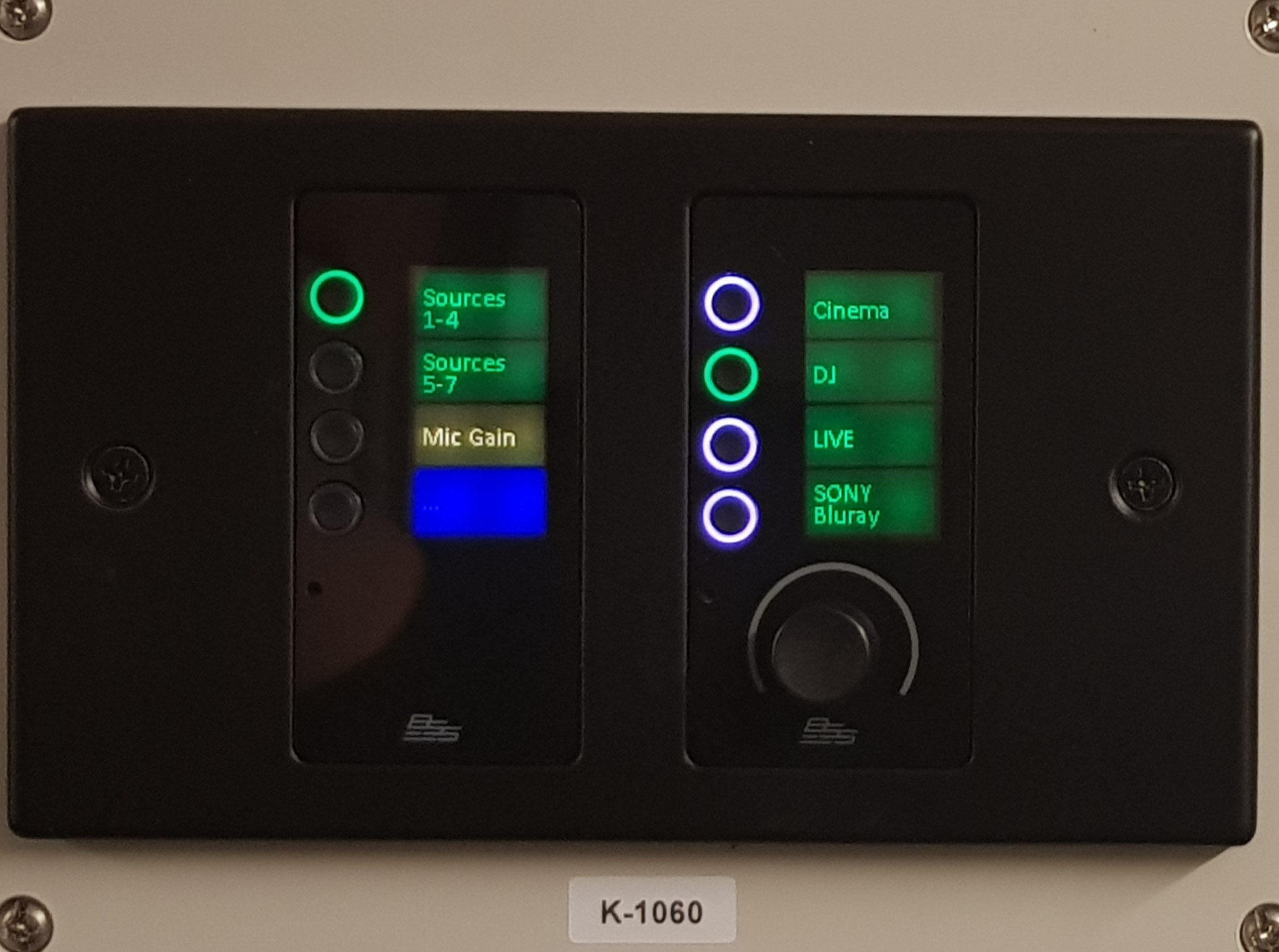
- Turn of lights in projector room, leave it and lock it.
- Go to the stage and open DJ mixer box on top of the table.
Connect the mixer (Pioneer DJ DJM-750MK2) using the two XLR cables to the wall ports marked DJ. Mixer output is called "Master 1".

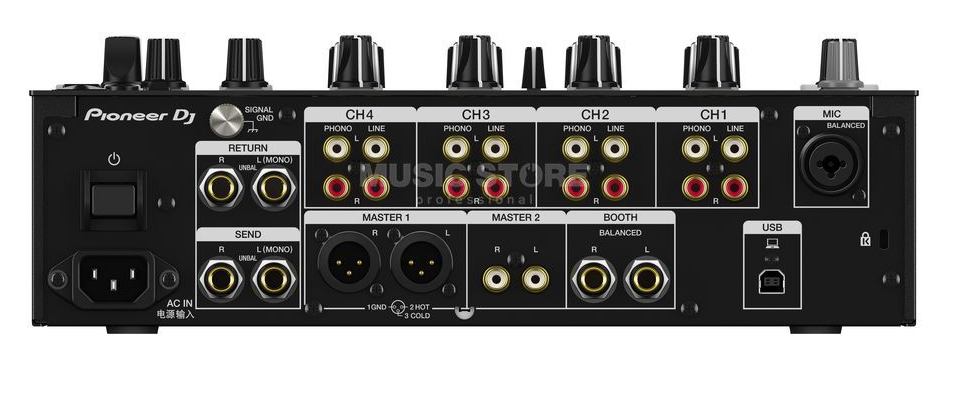
- Connect it to power and turn on push power button above power connector.
- configuring the DJ mixer
- pull all four sliders down and turn "Master Level" on the top right to -∞
- Connect your device using the jack to cinch cable to any of the channels to "LINE" white and red.
- select "LINE" on the channel to which you connected your device. The knobs for a channel are aligned vertically below each other.
- play music from your device at full volume
- turn trim until the volume shows as 0 dB in your channel
- Set all EQ knobs (HI, MID, LOW, COLOR) to neutral
- pull slider of your channel 90% up, select THRU below it
- turn "Master volume" up and stop at comfortable volume
- adjust volume from now on using slider
- cover DJ mixer whenever you leave it, so that no-one can spill drinks on it
- Adjusting the volume:
- There is a dB-Meter at the ceiling that works if the power to the colorful lights is on (white switches step 6.b.i)
- A lower volume is favourable, as it is less tiring. Ears slowly adjust to the average volume, so louder music does not sound louder long-term, it is just more tiring. However, you can overpower talking to a certain extend, but people will talk louder as well.
- 83-85 dB are quite optimal for crowded social dancing events
- 93 dB are allowed by the law, so the music may be turned up on very busy days
- turn on power on the very back wall
- (optional/not for Beginner Open Dancing) colorful lights
- get box "Licht-Box" from the projector room (keep it locked) to the Stage "Techniktisch"
- Power it up, connect DMX
- it is super slow but everything should happen automatically, if not open Daslight, open the showfile.
- Wired Microphone (not for daily use)
- There is a box of wired microphones in the projector room, of which one at the time can be connected to the DJ mixer with a single cable.
- There is a box of wired microphones in the projector room, of which one at the time can be connected to the DJ mixer with a single cable.
- Windows
- Open the windows if needed: The square-headed key for opening the windows is on the key chain. Turn it like a window handle and not like a key.
- Albeit not as strict as in other rooms, we should close windows after 22pm, it is about neighbors across the street, so windows closer to the stage side of the room are more important.
- At the end 🏁
- Colourful lights
- Turn off the lights by turning them off in the software, otherwise they stay on.
- Shutdown the PC
- Store it in the Box and in the projector Room
- Music
- Disconnect the cables (start with power) going to the mixer from the wall and your device. You may place the mixer with all cables connected into the box.
- Roll the still connected cables nicely, close box, check inventory on lid, report missing items to (aktuar@tanzquotient.org)
- Leave box on table
- Go to projector room
- Check that all white switches in the back are on
- Turn off only main switch ("Hauptschalter")
- Return Bar elements, so that they extend the bar.
- Cleaning
- Only use brushes, wet cleaning is for spilled drinks and bear
- Waste
- Bring it outside to ETH disposal rooms
- Wardrobe
- Move inside and return to Stage area as follows:
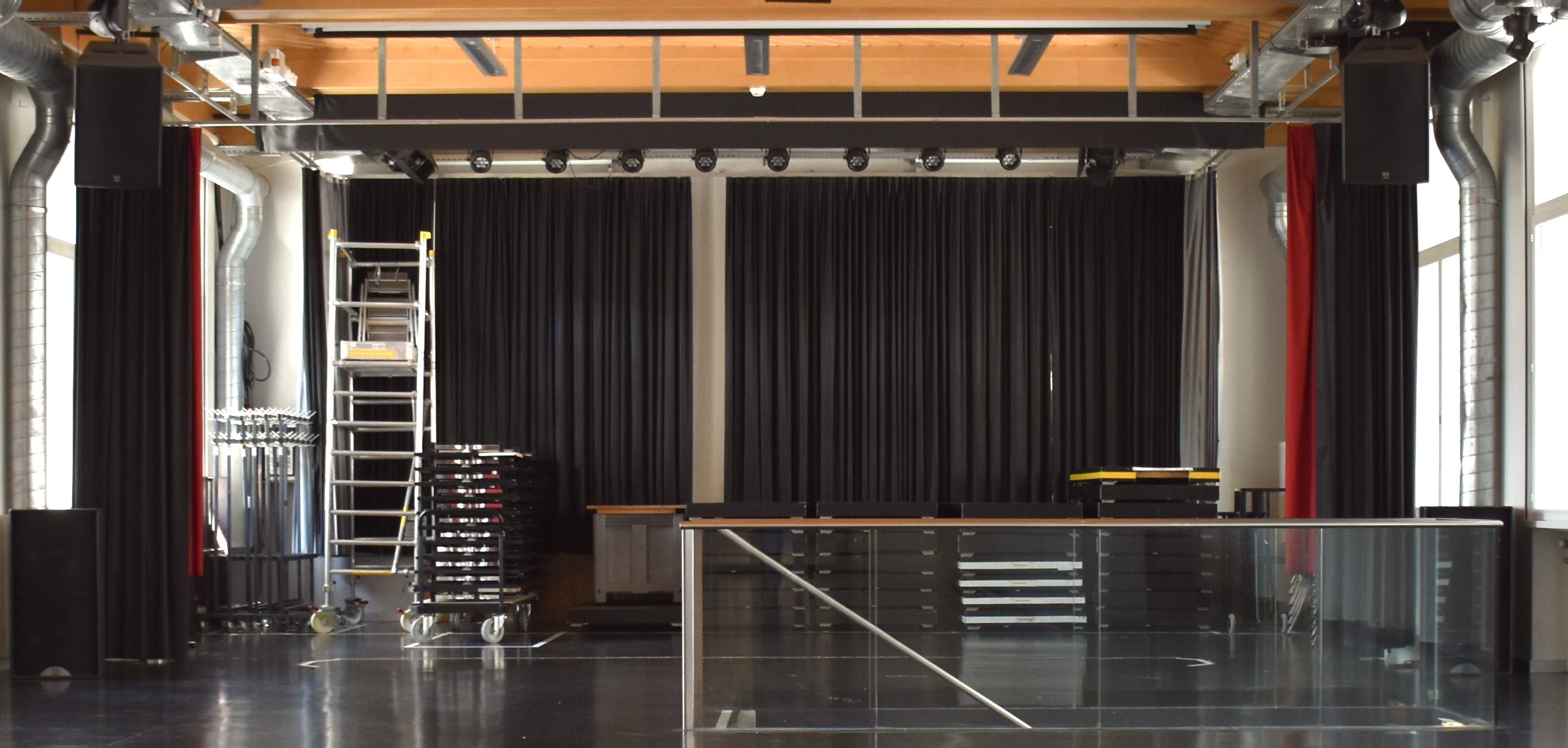
- Move inside and return to Stage area as follows:
- Lost&Found
- Take pictures, send them on Whatsapp to the "General Chat"
- take it to CAB ISC, it's on F Floor, just where the main entrance to CAB. Place items in front of the window of the counter. There may be a box for lost items, that have not been picked up and are now given away, do not put it there.
- Turn off lights (switch behind the bar)
- Lock projector room door and both room exits
- The doors are emergency exits and thus always open from inside. Test from outside if locked.
- The doors are emergency exits and thus always open from inside. Test from outside if locked.
- Colourful lights
- Lock VSETH Entrance
- enable alarm → deactivate bypass → set key like this to "0"
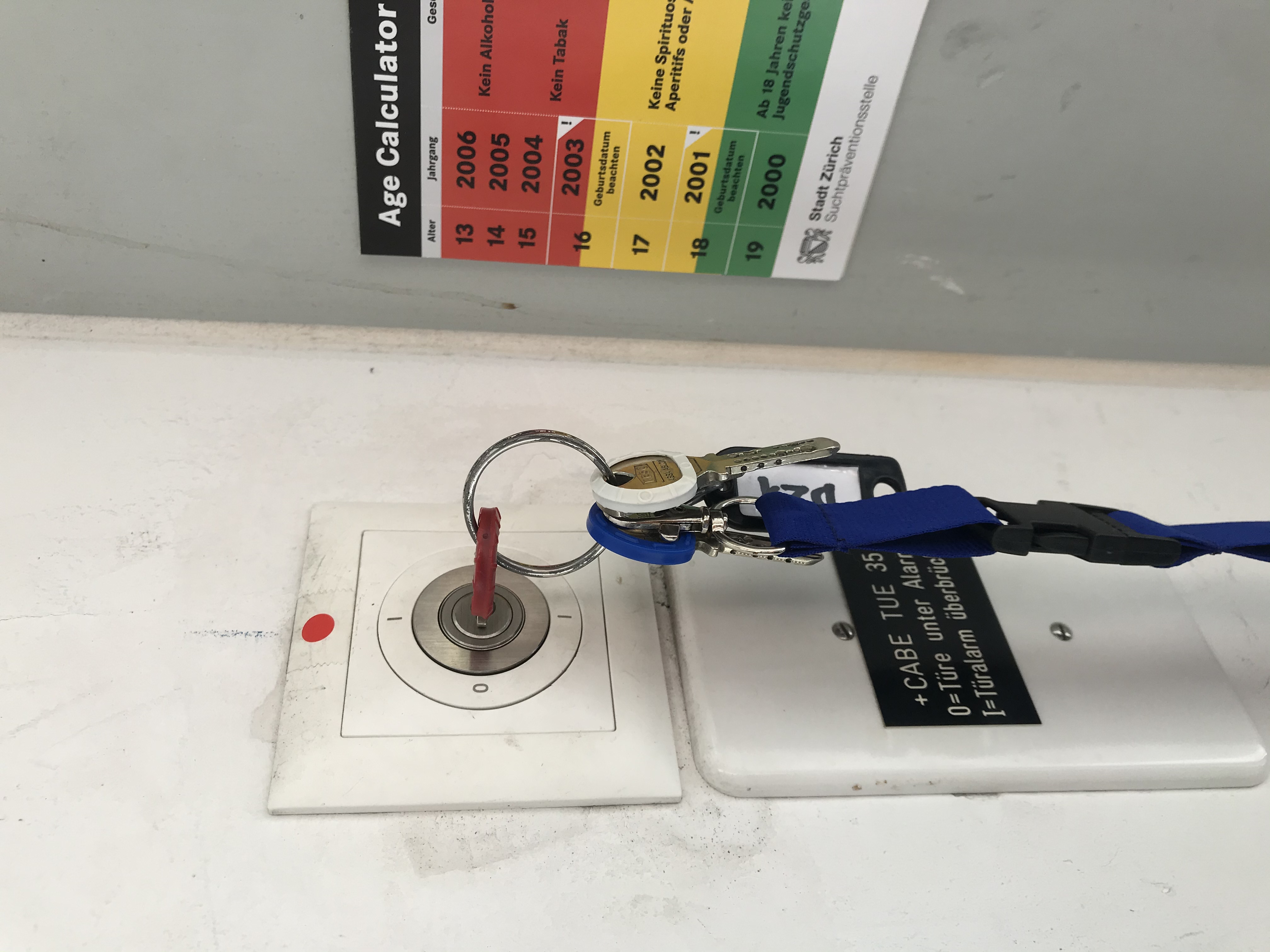
- Lock front door, by pressing down inside door handle and turning the small key 180°. Now the lower bolt will be active again. The outside door handle does not retract it, meaning the door is locked.
- enable alarm → deactivate bypass → set key like this to "0"
- Returning keys 🔑
- Return the keys to the vault (cf. "1. Getting keys")