HXE C1
- Report any problems with the room to aktuar@tanzquotient.org immediately
- Getting keys 🔑
- There may be a dance class beforehand. In that case, talk to the teacher and do a hand-over:
- Any issues that day?
- Get the keys + code
- Otherwise, you need to pick up the keys at the VSETH-office entry.
- The keys are placed in a vault at the VSETH-office entry at Hönggerberg (https://maps.app.goo.gl/SGtX1HegvFLr6VkX6).
- There may be a dance class beforehand. In that case, talk to the teacher and do a hand-over:
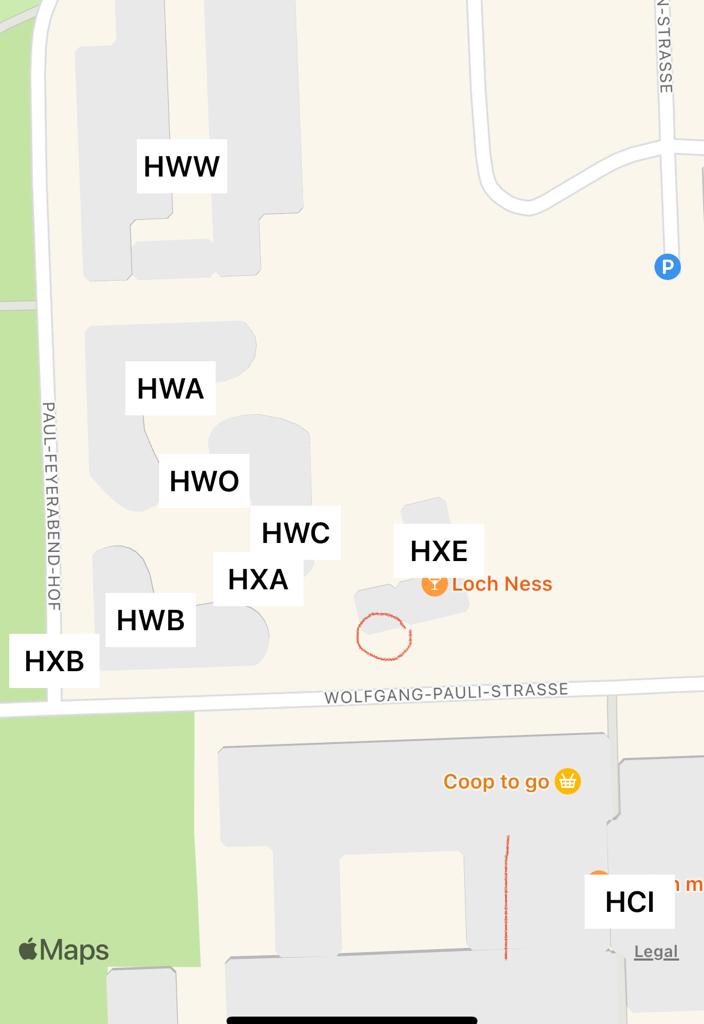
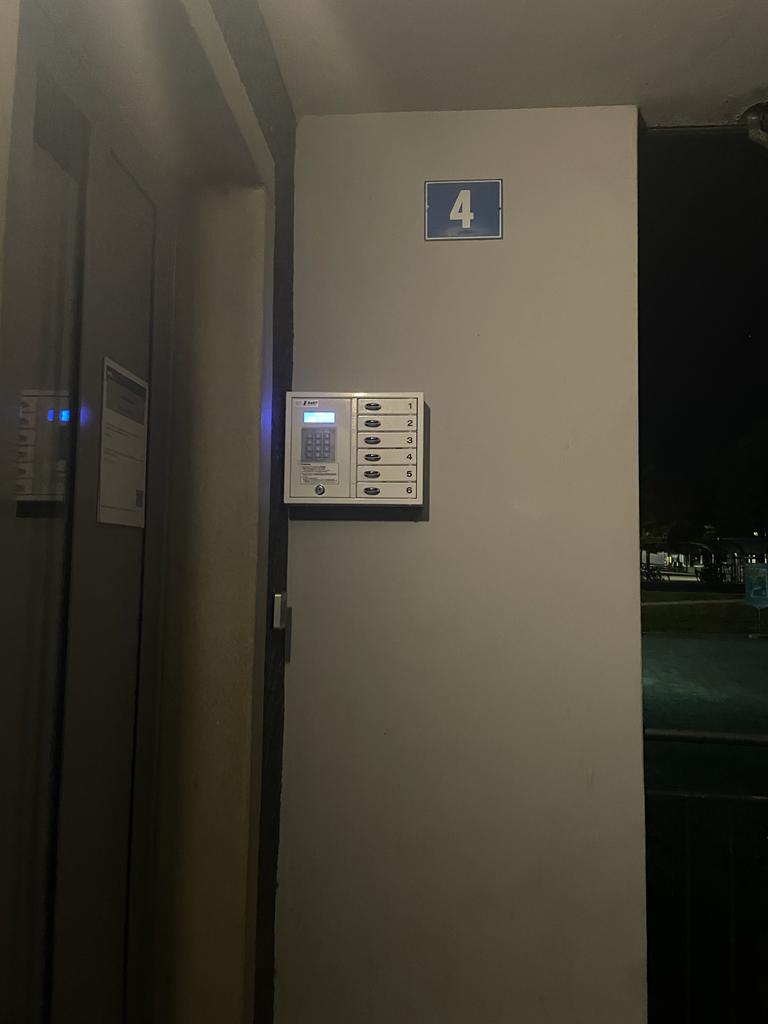
- TQ will send you a code to open a specific compartment. If you make a mistake while entering the code, press [*] to delete. Make sure to close the vaults doors again after getting the key.
- ⚠️ The use of the code is only allowed for the purpose of the event. Do not share the code with other people!
- Preparation of the room 🧹
- Hang up the awareness posters outside the room, on the wall between the door and the stairs. You can find them in the music box.
- If you're also the awareness contact person, wear the pink TQ-shirt.
- Play music according to music instructions! 🎶
- Bring your own device that supports Bluetooth and AUX-jack (e.g. phone) (bring a backup-device)
- TQ has its own mobile PA Speakers to use stored in Boxes
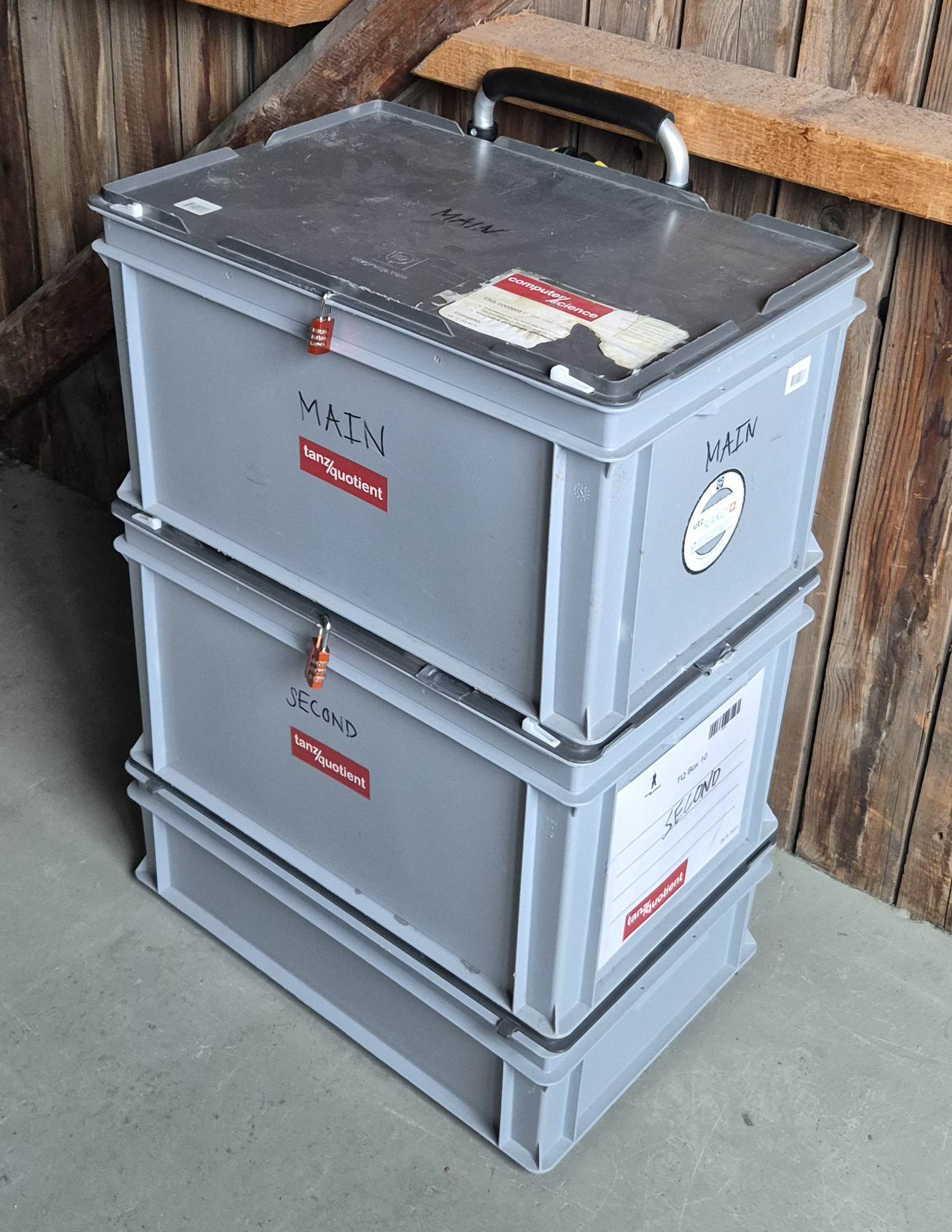
- When you enter the room, you will find them in grey boxes labelled with "TQ" in the back right corner.
- The boxes are secured with a lock, TQ will provide you with the code for it
- Store lock in box during event.
- connect
- with Bluetooth (not for Noche TQ-ba)
- works very well if you only use one speaker
- has sometimes synchronisation issues if speakers are too far apart and also depends on the phone / laptop you use, you can resync them by turning off and on SECOND speaker.
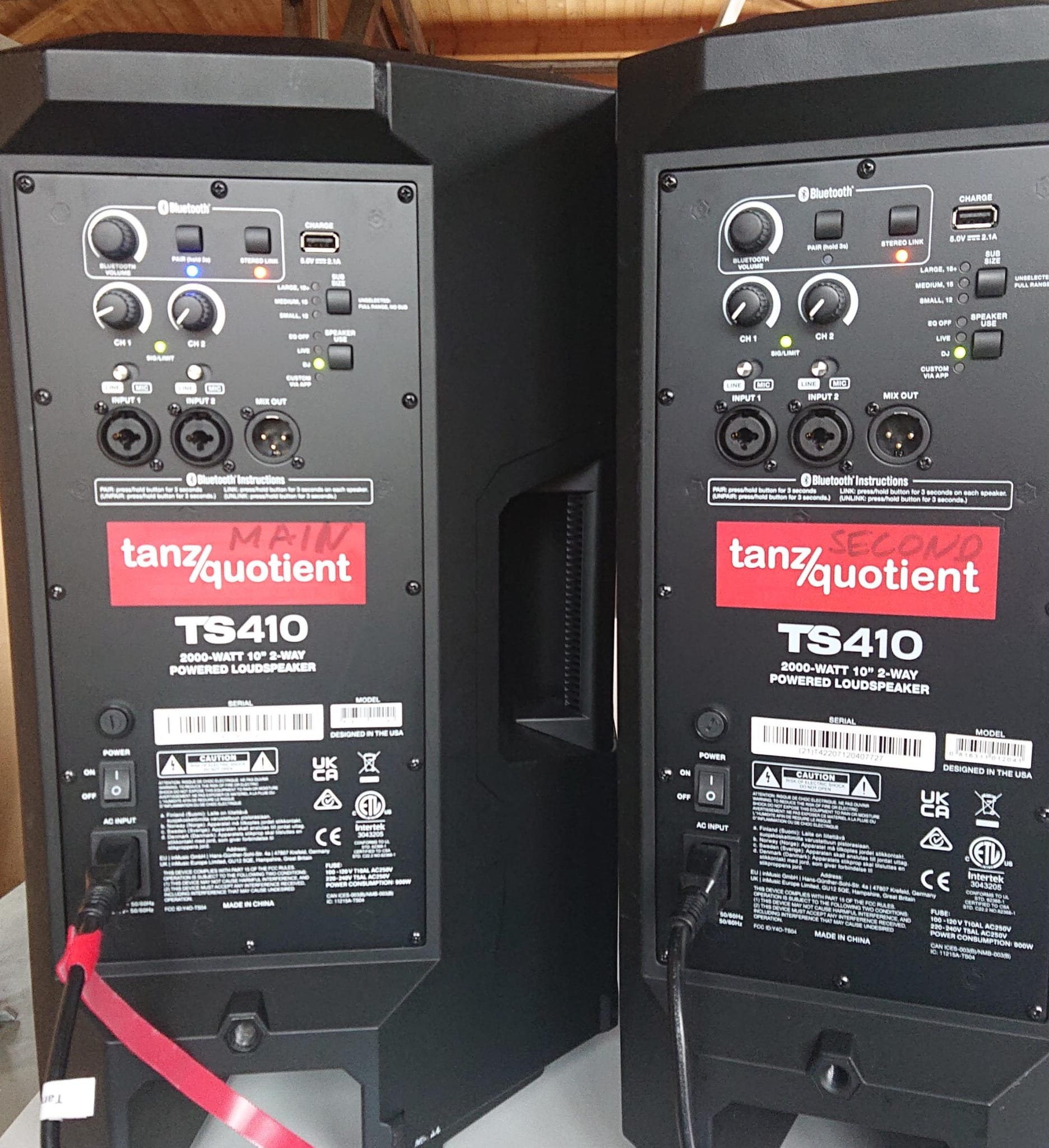
- Due to Bluetooth Stereo Linking, there is a MAIN and a SECONDARY Speaker. If you only want to use one, use the MAIN speaker. In order to use both speakers also turn on the SECOND speaker, and it will automatically connect to the MAIN speaker after a few (10~) seconds. You can add or remove the SECOND speaker at any time without repairing. The Bluetooth-ID should be "Alto TS410".
- with AUX (jack) cable
- connect your device with jack to XLR adapter in 60x40x17cm Rako box
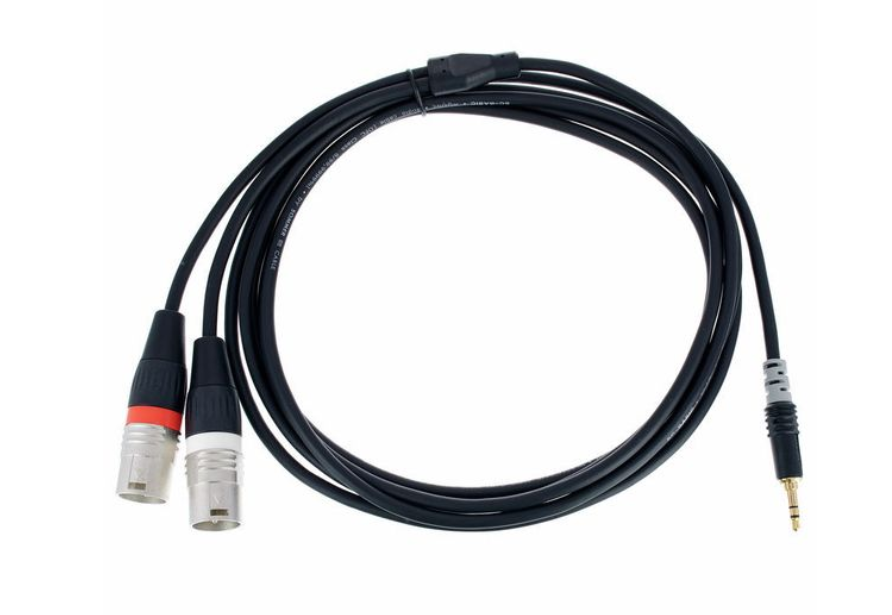
- Connect one XLR directly to Speaker
- Extend other XLR Plug with 10m cable and connect to other Speaker
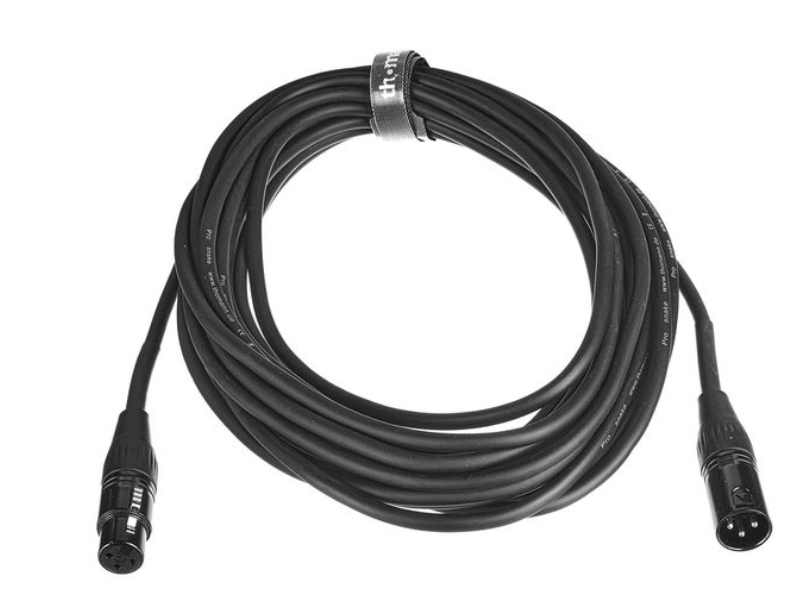
- Use Input 1 on the speakers and set silver switch to "Line" Turn volume to 12 o'clock
- connect your device with jack to XLR adapter in 60x40x17cm Rako box
- with Bluetooth (not for Noche TQ-ba)
- speaker placement
- if using Bluetooth
- one on top of the grey 2m tall locker, just needs one 5m extension cable for power, should be good enough for teaching
- if using AUX (for LOD)
- both speakers on top of the wall next to the entry.
- optional standing table below for Laptop
- if using Bluetooth
- PA Speaker EQ settings
- SUB SIZE: Fullrange: no lights illuminated next to top push button for subwoofer selection (we don't have one, selecting one reduces base)
- SPEAKER USE: EQ-OFF, but feel free to try the others
- Wireless Microphone
- Plug the receiver into the speaker using mini-jack to jack adapter and turn it on
- Assemble headset from microphone and head bracket and turn it on
- Adjust Level on the Speaker Volume Knob (silver switch to LINE, or MIC if louder needed)
- Charge using cable and speaker, receiver can be charged while in use
- You can mute the Microphone by turning it off, needs 2 seconds to turn on.
- When returning everything, check that everything is turned off and present.
- microphone and head clamp
- receiver and silver mini-jack to jack adapter
- double micro-usb charging cable
- Close the windows and doors at 22:00🪟 💤
- ⚠️ Close all windows and doors towards the Student Housing (HWO/HWW-side) permanently after 22:00!
- ⚠️ Also no people on the HWO/HWW-side outside after 22:00!
- ⚠️ People tend to open them again, so be on a constant watch-out!
- Catching fresh air or smoking is only allowed on the HIL-side after 22:00.
- At the end 🏁
- Take down the awareness posters and store them in the music box.
- Make sure that the room is clean and orderly
- roll up all cables
- put the PA speakers with the handle to the top into the storage boxes and close the lock
- if used, put the chairs and tables back on the stacks
- if necessary, use a broom to clean
- Dispose of the waste
- PET and Alu in the bag into the proper containers under the stairs outside
- The Garbage into the barrels on the wall outside
- If someone forgot some items (e.g. dance shoes), put them in front of the room, take a picture and post it on WhatsApp to the "General Chat".
- Check TQ inventory and report missing/damaged items to events@tanzquotient.org: All items should be clearly labeled as TQ.
- 60x40x32cm Box MAIN
- PA Speaker MAIN
- power cable for speaker T13-C13
- 60x40x32cm Box SECOND
- PA Speaker SECOND
- power cable for speaker T13-C13
- 60x40x17cm Box (list not complete)
- Awareness Materials
- First-Aid Materials
- jack to XLR cable
- 15m XLR cable
- 5m T13 power cable
- T13 socket strip
- Microphone box
- hand cart
- 60x40x32cm Box MAIN
- Store boxes neatly
- one tower with MAIN on top, locks locked
- handcart hidden behind
- Turn off the lights. 💡
- Returning keys 🔑
- Return the keys to the vault (cf. "Getting keys")
- Use the same code as mentioned above or if you did not get the key yourself use the code, that was given to those, who picked up the key.